Table of Content
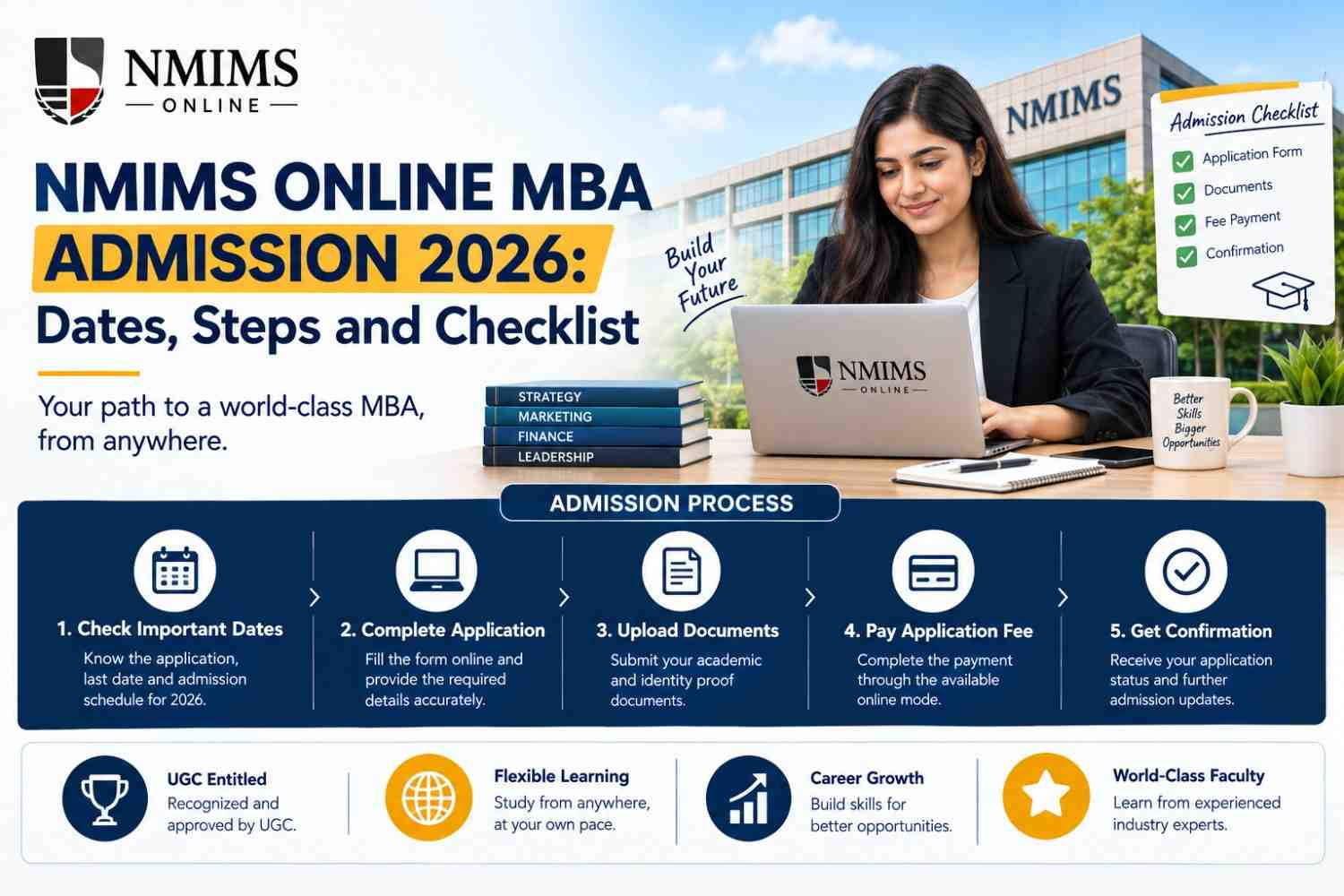
NMIMS Online MBA admission 2026 is completed online through registration, document submission, fee payment and university verification. For the schedule checked on 21 August 2026, the official page listed 8 September 2026 as the last admission date. Late fees apply during the final part of the window, so applicants should verify the live schedule before paying.
Admission is not confirmed merely because a form is submitted. NMIMS states that document approval, payment approval and student verification must be completed before the university issues a student number.
NMIMS Online MBA Admission 2026: Quick Answer
| Admission item | Current published information |
|---|---|
| Application mode | Online |
| Registration start | 19 March 2026 |
| Last date without late fee | 10 August 2026 |
| ₹500 late-fee window | 11–24 August 2026 |
| ₹1,000 late-fee window | 25 August–8 September 2026 |
| Published last date | 8 September 2026 |
| Standard academic threshold | 50% in a recognised bachelor’s degree |
| Published relaxation | 45% for SC/ST/OBC/PwD |
| Work experience | Not compulsory for MBA Online |
| NMAT or entrance test | Not listed in the published MBA Online process |
| Admission-processing fee | ₹1,200 |
| Registration-stage programme amount | ₹10,000 from the programme fee |
| Confirmation | After document, payment and student verification approval |
Important NMIMS Online MBA Admission Dates for 2026
| Milestone | Published date |
|---|---|
| Registration starts | 19 March 2026 |
| Admission without late fee | 19 March–10 August 2026 |
| Admission with ₹500 late fee | 11–24 August 2026 |
| Admission with ₹1,000 late fee | 25 August–8 September 2026 |
| Last date of admission | 8 September 2026 |
What the deadline actually means
The last date without a late fee is not the final admission date. An applicant registering after 10 August may still be within the published intake window, but an additional late fee applies.
The final date should not be treated as a safe day to begin the entire process. Documents may be unclear, payment can fail, or the university may request a correction. Submit early enough to respond if verification is not completed on the first attempt.
New admission and re-registration are different
New admission is for a person joining the programme. Re-registration is for an existing learner moving into the next academic stage. The re-registration schedule on the same official page had different dates. A new applicant should not use the re-registration closure date as the admission deadline.
Step 1: Check NMIMS Online MBA Eligibility
The current academic requirement is a bachelor’s degree under the 10+2+3 pattern in any discipline from a recognised university, or an equivalent degree recognised by the Association of Indian Universities.
The published marks requirement is:
- 50% at graduation for the general threshold
- 45% for SC, ST, OBC and PwD applicants
Work experience is not mandatory for MBA Online. The standard published process also does not list NMAT, a written entrance examination or a personal interview.
Step 2: Choose the Correct MBA Specialisation
The MBA Online programme hub currently lists seven options:
- Business Management
- Marketing Management
- Financial Management
- Human Resource Management
- Operations and Data Sciences Management
- Information Technology Management
- Business Analytics
Choose by curriculum and target work, not by a trendy title. Compare the seven specialist subjects, project scope and the capability you want to develop.
For example, Business Analytics is management-oriented analytics, while Information Technology Management focuses more on technology risk, delivery, products and transformation. Finance and HR lead to different functional depth. Business Management provides a broader cross-functional route.
Step 3: Register on the Official NMIMS Platform
NMIMS instructs applicants to register online, fill in the registration form and pay the admission-processing fee.
Before beginning, prepare:
- An email address you actively use
- A mobile number you control
- Your name exactly as it appears on academic and identity records
- Date of birth and address details
- Graduation information
- The chosen programme and specialisation
- Digital copies of the required documents
- A payment method with sufficient limit
Start Your Journey
Need Help With NMIMS Online MBA Admission?
Talk to our admissions team about eligibility, specialisation selection, fees and the application process.
Step 4: Enter Application Details Carefully
Small inconsistencies can create avoidable verification questions. Check the following fields before submission:
| Field | What to verify |
|---|---|
| Full name | Same order and spelling as academic and identity records |
| Date of birth | Matches the accepted identity proof |
| Email and mobile | Active and entered without typing errors |
| Graduation marks | Use the correct percentage or conversion method |
| University name | Enter the degree-awarding institution correctly |
| Passing year | Match the final marksheet or degree certificate |
| Category | Select only when valid evidence is available |
| Programme | MBA Online, not MBA Working Executive or another route |
| Specialisation | Confirm before payment |
| Address | Complete enough for official communication or dispatch |
Step 5: Upload the Required Documents
The MBA Online admission process groups the documents as:
- Academic documents
- Photo identity
- Passport-size photograph
It also refers to uploading Gazette-attested photocopies. The public page does not provide a complete document-by-document checklist for every applicant profile. The live application form and admissions team should therefore be used to confirm the exact files required.
Common academic evidence may include 10th, 12th and graduation records, but do not present a generic checklist as an official universal list unless the portal confirms it for the active intake.
Document quality checklist
- Scan the complete page, including all four corners.
- Keep text, marks, seals and signatures readable.
- Avoid glare, shadows and blurred mobile photographs.
- Use the accepted file type and size.
- Do not edit marks, names, dates or seals.
- Check that the uploaded file opens after submission.
- Use consistent names across records.
- Keep original documents available if NMIMS requests verification.
If your current name differs from the academic record, ask what supporting document is required. Do not silently upload mismatched records and expect automatic approval.
Step 6: Understand the Fees Before Paying
| Payment route | Published amount |
|---|---|
| Full programme payment | ₹1,96,000 |
| Annual payment | ₹1,05,000 per year for 2 years |
| Semester payment | ₹55,000 per semester for 4 semesters |
The annual route totals ₹2,10,000, while the semester route totals ₹2,20,000, before separate charges. The current notes also list:
Step 7: Make Payment Safely
The online payment and a demand draft in favour of “SVKM’s NMIMS” payable at Mumbai. Use only the payment directions shown in the active portal.
After payment:
- Save the transaction ID.
- Download the receipt.
- Take a screenshot of the success page if needed.
- Check that the applicant name and amount are correct.
- Do not pay again immediately if status is pending.
- Contact the official support route with evidence if the amount is debited but not reflected.
Never transfer money to a personal account because someone claims it will accelerate admission. An affiliate or counsellor cannot override university verification.
Step 8: Wait for Verification and Confirmation
NMIMS states that admission is confirmed after:
- Document approval
- Payment approval
- Student verification
- Issue of a student number by the university
Student Portal activation, lectures and study-kit processes become available only after confirmation according to the official page.
Until the student number or official confirmation is issued, describe the status as submitted, under review or payment completed—not admitted.
Common Admission Mistakes
Confusing MBA Online with MBA Working Executive
The programmes have different eligibility and selection processes. MBA Working Executive may include work-experience and interview requirements that do not belong to the standard MBA Online route.
Using an old deadline
Search results and screenshots can remain visible after an intake changes. Always check the active page and note the date on which you verified it.
Waiting until the last day
The deadline does not protect an incomplete or incorrect file from delays. Leave time for document and payment issues.
Assuming form submission means admission
University approval and verification are still required. Keep wording accurate until confirmation is issued.
Uploading unreadable documents
Compressed, cropped or blurred files can delay review. Reopen each file before submission.
Paying through an unverified route
Use the official platform and published payment instructions. Keep receipts and never share passwords or OTPs.
Choosing a specialisation by title alone
Read the current subject list. A specialisation should support a defined capability and role direction.
Conclusion
NMIMS Online MBA admission 2026 follows a clear four-part path: register, upload documents, pay through the approved route and wait for university verification. The critical details are the live deadline, correct programme selection, readable documents and a complete cost calculation. Apply before the final day and treat the student number—not form submission—as confirmation.
Frequently Asked Questions
Yes. The reviewed schedule listed ₹500 from 11–24 August and ₹1,000 from 25 August–8 September 2026.