Table of Content
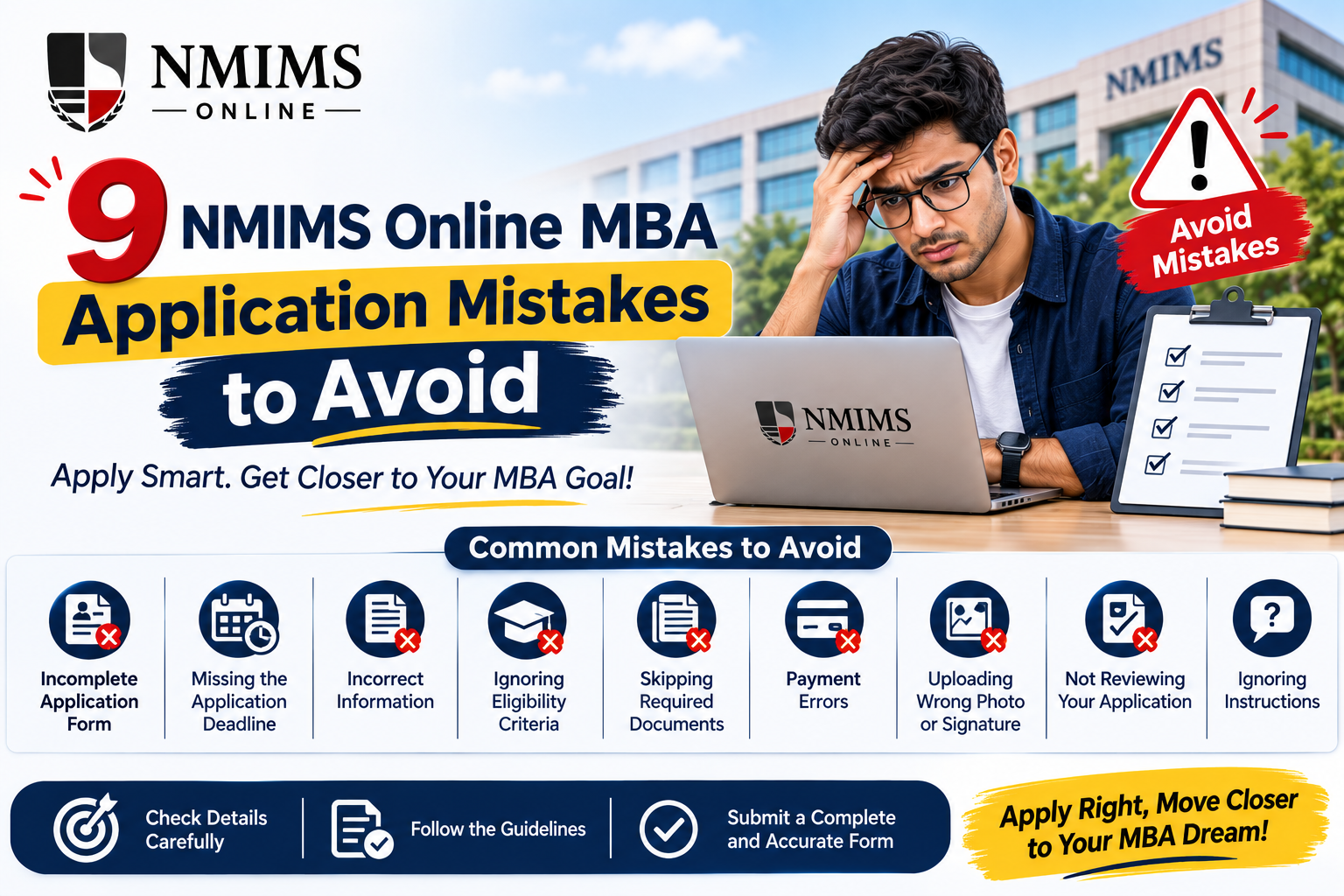
The most common NMIMS Online MBA application mistakes are choosing the wrong programme, using outdated dates, entering details that do not match academic records, uploading unreadable documents and assuming that payment confirms admission. The safer approach is to verify eligibility, prepare consistent records, use the official route and wait for the university-issued student number.
NMIMS currently describes four stages for the standard MBA Online route: registration, document submission, fee payment and confirmation. Each stage can create a delay when an applicant rushes or relies on information meant for another NMIMS programme.
NMIMS Online MBA Application: Quick Pre-Submission Check
| Check | What the current official process |
|---|---|
| Programme | MBA Online, not an on-campus MBA or MBA Working Executive route |
| Academic eligibility | Recognised 10+2+3 bachelor’s degree or AIU-recognised equivalent |
| Marks | 50% generally; 45% for SC/ST/OBC/PwD under the published rule |
| Registration | Online through the NMIMS route |
| Documents | Academic documents, photo identity and passport-size photograph |
| Initial programme amount | ₹10,000 from the programme fee at registration |
| Admission-processing fee | ₹1,200 |
| Confirmation | After document approval, payment approval and student verification |
| Final proof of admission | A student number issued by the university |
Why Small Application Errors Matter?
An online form may look simple, but NMIMS must match the information in it with the submitted records and payment. A spelling difference, unclear marksheet or wrongly selected programme can therefore raise a verification question.
That does not mean every minor discrepancy leads to rejection. It means the applicant may have to provide a correction or clarification. The real risk increases near the deadline, because there may be less time to fix a document, resolve a failed transaction or get an official answer.
The safest mindset is to treat the application as a verification file, not a lead form. Every important field should be supported by a record that the university can read and validate.
Start Your Journey
Need Help Picking the Right Fee Route?
Talk to our admissions team about tuition options, complete cost and how each route affects your cash flow.
Mistake 1: Selecting the Wrong NMIMS MBA Route
NMIMS offers more than one management programme. Search results may combine MBA Online, MBA Working Executive, on-campus MBA and NMAT information. Their eligibility, selection process, documents and fees are not interchangeable.
For the standard MBA Online programme, the published process checked for this guide did not list NMAT, another written entrance test, work experience or a personal interview. Another NMIMS route may have different rules.
Before registration, confirm:
- The page and form clearly say MBA Online.
- The specialisation is available under the current MBA Online list.
- The published eligibility matches your qualification.
- The fee table belongs to this programme, not an executive or campus course.
- The dates shown are for new admission, not re-registration.
Mistake 2: Using an Old Deadline or Waiting Until the Final Day
Admission dates are time-sensitive. The schedule reviewed on 21 August 2026 listed registration from 19 March 2026, admission without a late fee through 10 August, a ₹500 late-fee window from 11 to 24 August, a ₹1,000 late-fee window from 25 August to 8 September, and 8 September as the published last date.
An old screenshot or an undated counselling message can become inaccurate if the university revises the intake. Re-registration dates can also be mistaken for new-admission dates.
Waiting until the final day creates avoidable pressure. A payment can remain pending, a document can be returned for clarification, or a portal field can require evidence that is not immediately available.
Use this deadline routine:
- Open the MBA Online admission-process page.
- Confirm that the table is for new admission.
- Record the date and time when you checked it.
- Note the applicable late-fee band, if any.
- Aim to submit several working days before closure.
Registration before a deadline is not the same as confirmed admission. Verification still has to be completed.
Mistake 3: Assuming Eligibility Instead of Checking the Records
The current published academic rule is a bachelor’s degree under the 10+2+3 pattern from a recognised university, or an equivalent degree recognised by the Association of Indian Universities, with at least 50% marks. The page shows 45% for SC, ST, OBC and PwD applicants.
Common eligibility mistakes include:
- Estimating a percentage from CGPA without the university’s conversion method.
- Entering only the final-semester result when the complete record is required.
- Assuming a foreign or non-standard qualification is automatically equivalent.
- Claiming a category relaxation without the accepted supporting evidence.
- Paying first and asking about a failed subject, backlog or provisional degree later.
If the marksheet reports CGPA, use the degree-awarding university’s documented conversion rule. Do not invent a percentage using a generic online calculator. If the qualification is foreign, unusual or does not follow the standard pattern, ask NMIMS whether AIU equivalence or another document is required before making a non-refundable payment.
Mistake 4: Entering a Name or Date That Does Not Match the Documents
The application name should normally follow the accepted academic and identity records. Differences in initials, order, spelling, surname or date of birth can lead to verification questions.
For example, the degree may say “Amit K Sharma” while the identity proof says “Amit Kumar Sharma.” Both may refer to the same person, but an applicant should not silently edit a scan or choose a third variation in the form.
Before submission, compare these fields across records:
| Field | What to compare |
|---|---|
| Full name | Spelling, order, initials and surname |
| Date of birth | Application form and accepted identity proof |
| University name | Exact awarding institution on marksheets or certificate |
| Passing year | Final result and degree/provisional certificate |
| Marks | Percentage or supported conversion from CGPA |
| Category | Selected category and current supporting evidence |
Mistake 5: Uploading Incomplete, Blurred or Cropped Documents
The public admission page groups the required files as academic documents, photo identity and a passport-size photograph. The exact file-level checklist may vary by applicant and portal, so the live form should decide what must be uploaded.
An image can look acceptable on a phone screen but become unreadable when a reviewer zooms in. Cropped seals, missing reverse sides, glare and aggressive compression can remove important evidence.
Run these document checks:
- All four corners of the document are visible.
- The name, institution, marks, result and passing year are readable.
- Seals, signatures and serial numbers are not cropped.
- Multi-page records are in the correct order.
- No required semester or year is missing.
- The file opens after upload and is not password protected.
- The file type and size match the portal instructions.
- The photograph is recent, clear and not a screenshot with borders.
Keep unedited originals available. Improving scan brightness is different from changing a mark, name, date, seal or result. Any alteration to the underlying record can create a serious authenticity issue.
Mistake 6: Guessing the Attestation Requirement
Do not rely on a generic checklist copied from another intake. Confirm with official support:
- Which files require attestation.
- Who is an accepted attesting authority.
- Whether every page must be signed or stamped.
- Whether colour scans are required.
- Whether digitally issued records are accepted as they are.
- Whether originals or additional copies are requested later.
Uploading an unattested file when attestation is required may delay review. Adding an unnecessary mark or stamp to a digital original can also create confusion. Follow the instruction attached to the actual field.
Mistake 7: Paying Through an Unverified Link or Losing Payment Evidence
Applicants should begin from the NMIMS CDOE route and verify the payee and amount shown before authorising payment.
Avoid these behaviours:
- Transferring money to an individual’s personal account.
- Sharing an OTP, password or payment credential with a counsellor.
- Paying through a link whose domain or source cannot be verified.
- Repeating a payment immediately when the first transaction is pending.
- Closing the page without saving the transaction reference or receipt.
- Assuming an affiliate can approve payment or admission.
After payment, save the receipt, application number, transaction ID, date, amount and status. If a debit is completed but the portal does not update, contact the official support route with evidence before paying again.
Mistake 8: Misreading the ₹10,000 Registration-Stage Amount and Total Cost
NMIMS take initial ₹10,000 from the programme fee is collected at registration. It is described as part of the programme fee, not an additional ₹10,000 tuition charge. Separately lists a ₹1,200 admission-processing fee.
A complete budget should also distinguish:
- One-time, annual or semester-wise programme-fee route.
- Examination fee of ₹800 per subject per attempt.
- Project fee of ₹800 per attempt.
- Applicable late fee during the admission window.
- Bank, NBFC or other finance costs under a separate loan agreement.
- Cancellation deductions and non-refundable amounts under the current policy.
Do not compare only the first amount due. Compare the full nominal tuition route and all separately applicable charges. If finance is involved, compare the lender’s total repayable amount rather than only a monthly EMI.
Mistake 9: Treating Form Submission or Payment as Admission Confirmation
NMIMS states that admission is confirmed after document approval, payment approval and student verification. The university then issues a student number. Student Portal activation and access to lectures follow confirmation according to the published process.
Until that happens, use accurate status language:
- Registered: the online registration was created.
- Submitted: the form or documents were sent.
- Payment completed: money was paid or mapped to the application.
- Under review: verification is still in progress.
- Correction required: the university has requested another action.
- Confirmed: the approvals are complete and a student number is issued.
A receipt is evidence of payment, not proof that eligibility and documents have been approved. Do not resign from a job, announce enrolment or make another irreversible decision based only on a form-submission screen.
What to Do If You Notice an Error After Submission
Do not create a duplicate application unless official support asks you to do so. Multiple records can make payment and document mapping harder.
Use a controlled correction process:
- Note the application number and exact field or file that is wrong.
- Save a screenshot or receipt showing the current status.
- Prepare the correct supporting record.
- Use the support, ticketing or portal route.
- Explain the issue briefly without sending unrelated personal documents.
- Follow the correction instruction and keep the response.
- Recheck the application status after the update.
Never send academic or identity records to an unverified number merely because someone promises faster approval. Share only the information needed through an authorised channel.
Final NMIMS Online MBA Application Checklist
Before registration
- Confirm the programme is MBA Online.
- Check current eligibility and the new-admission schedule.
- Choose a specialisation after reading its current subject list.
- Create a complete budget, including separate charges.
- Prepare an active email address and mobile number you control.
Before document upload
- Match the form with academic and identity records.
- Resolve CGPA conversion, category or equivalence questions.
- Scan complete, readable documents.
- Follow the live file, size and attestation instructions.
- Reopen each file before uploading it.
Before payment
- Confirm the official route, programme and specialisation.
- Check the payable amount and late-fee window.
- Read current cancellation and refund terms.
- Review loan terms independently if using finance.
- Save the receipt and transaction reference.
After submission
- Track document and payment approval.
- Respond to correction requests promptly.
- Avoid duplicate payment when a status is pending.
- Keep the final form, uploads and receipts.
- Wait for the university-issued student number.
Conclusion
Most NMIMS Online MBA application mistakes are preventable. Use the correct programme page, verify the current deadline, match every field with readable records, budget beyond the first payment and keep transaction evidence. Most importantly, treat the university-issued student number, not a form or receipt, as confirmation of admission.
Frequently Asked Questions
Correction options depend on the field, portal status and current process. Contact NMIMS through the official support or ticketing route, quote the application number and follow the written correction instruction.