Table of Content
Introduction
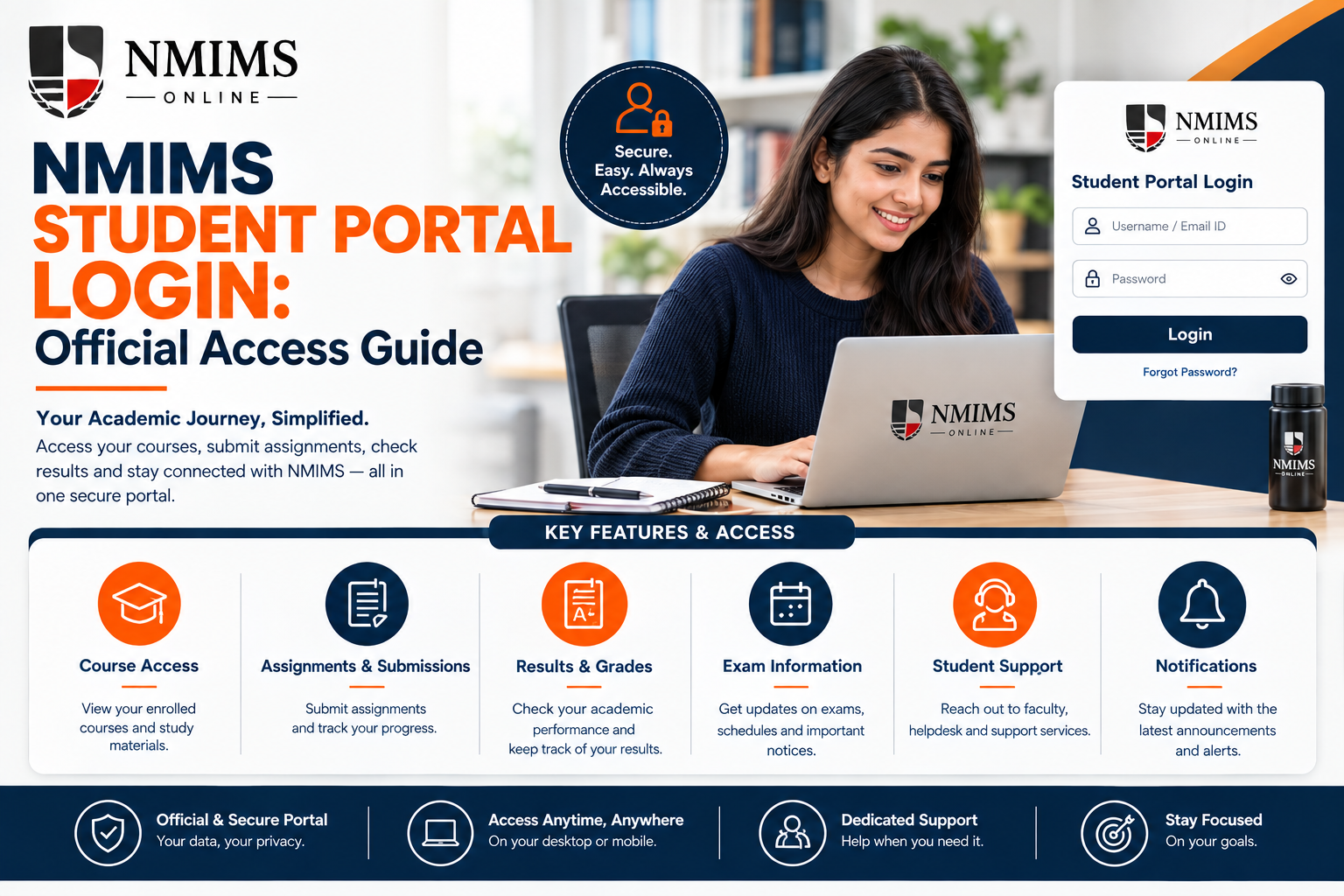
Accessing the NMIMS Student Portal is an essential part of the learning journey for enrolled students, providing a centralized platform for academic resources, course information, live sessions, and student support. However, with multiple NMIMS-related portals and third-party websites appearing in search results, finding the correct login page can sometimes be confusing. This guide explains how to access the official NMIMS CDOE Student Portal safely, understand the login requirements, reset your password, resolve common access issues, and avoid potentially fraudulent or unofficial login pages.
Official NMIMS Student Portal Link
Use this two-step route:
- Open the NMIMS CDOE Students page.
- Click the Student Portal link displayed under Student Support.
The destination linked by NMIMS at the time of verification was:
https://studentzone-ncdoe.nmims.edu/
What Is the NMIMS CDOE Student Portal?
The NMIMS CDOE Student Portal, also called the Student Zone on official programme pages, is the university-controlled digital environment for enrolled learners. It as a single destination for multi-format learning resources, live interactive lectures and student support.
Official MBA pages also say learners can use the Student Zone through the portal and mobile app to access courseware and relevant information. NMIMS lists recorded lectures, e-books, journals and lecture transcripts as parts of the online learning experience.
| Portal purpose | What the official pages |
|---|---|
| Account access | Login uses SAP ID and password |
| Learning | Multi-format resources and live interactive lectures |
| Course resources | Courseware, e-books, journals, recordings and transcripts are described across programme pages |
| Support | Student-support routes are connected to the learner experience |
| Password help | The portal provides a Forgot Password link |
| New-user route | The portal displays a Register Now option |
When Is NMIMS Student Portal Access Activated?
MBA Online admission student number is issued after document approval, payment approval and student verification. It also states that Student Portal activation and lecture access are available only after admission confirmation.
This sequence matters:
- Complete registration on the official admission system.
- Submit the required documents.
- Complete the applicable fee payment.
- Wait for university approval and student verification.
- Receive admission confirmation and a student number.
- Follow the official activation or login communication.
Paying a registration amount does not, by itself, prove that portal access should already be active. If the university has not confirmed admission, check the application status or contact the official admission team instead of repeatedly attempting a student login.
Start Your Journey
Need Help Picking the Right Fee Route?
Talk to our admissions team about tuition options, complete cost and how each route affects your cash flow.
How to Log In Safely
Step 1: Check the domain
Open the current link from online.nmims.edu/students. Confirm that the browser shows an NMIMS-controlled domain and a secure connection. Be cautious when a search ad, shortened link or forwarded message takes you somewhere else.
Step 2: Use your own device where possible
A personal device reduces the chance that login details remain in a shared browser. If you must use a shared computer, avoid saving the password and sign out completely.
Step 3: Enter the requested account details
The current portal screen asks for SAP ID and password. Use the details issued or confirmed through official communication.
Step 4: Verify the page before submitting
Check the address again. A copied logo is not proof that a page belongs to the university.
Step 5: Sign out after use
This is particularly important on office, library or shared-family devices. Closing one tab may not end the authenticated session.
Forgot Your NMIMS Portal Password?
Use the Forgot Password option on the official login page. The official recovery page reviewed during research asked for a student number and provided a route back to login.
Follow these precautions:
- Start the reset from the official portal, not a message link.
- Never share a one-time code with a caller or chat agent.
- Use a password that is not reused on email, banking or social accounts.
- Store it in a reputable password manager if possible.
- If recovery details are outdated, use official student support.
NMIMS Portal Not Opening: Troubleshooting Checklist
Work through the issue in order. This helps you produce a clear support ticket if the problem remains.
1. Confirm the current portal destination
Return to the NMIMS CDOE students page and open the Student Portal link again. This rules out a stale bookmark.
2. Check whether admission is confirmed
New applicants should separate application status from learner access. Portal activation follows admission confirmation according to the official MBA process.
3. Check the credentials carefully
Verify typing, capitalisation and accidental spaces. Avoid repeated guesses because systems may temporarily restrict access after multiple failures.
4. Use the official password recovery
If the password is uncertain, reset it through the portal instead of continuing to guess.
5. Try a clean browser session
Open a private window or clear only the relevant site data. Browser extensions, old cookies or cached redirects can sometimes affect login pages.
6. Test the connection and device
Switch between a trusted Wi-Fi connection and mobile data. If the issue occurs on one device only, update the browser or test another current browser.
7. Note the exact error
Record the time, page address and visible error message. A screenshot can help, but crop or cover SAP ID, email, phone number, QR code, password field and any other personal information.
8. Contact official support
Use the Student Support route on the university website or portal. The programme page currently refers to a Ticketing Tool, scheduled callback and chat support. Save the ticket number and expected response or close date shown by the system.
Student Portal, Application Status and Admission Form Are Different
Several NMIMS systems can appear during the learner journey. Using the wrong one creates unnecessary login failures.
Application or registration system
Prospective students use the official registration process to apply, upload documents and complete admission steps. This is not the same as the enrolled-student learning portal.
Application status
Applicants may use the official Application Status link to track the admission process. A pending application is not evidence that Student Zone access should be available.
Student Portal or Student Zone
Confirmed learners use this system for the online learning environment and support. The official MBA activation follows admission confirmation.
Other SVKM or NMIMS portals
Search results may show portals for campus students, electives, examinations or different schools. Do not use a page merely because it contains “NMIMS” or “SAP.” Start from the official school or programme page relevant to your enrolment.
How to Use the Portal as Part of a Weekly Routine
Portal access is most useful when it becomes a habit rather than an emergency destination.
- Check current notices at the beginning of the week.
- Review live-learning commitments and available recordings.
- Open the relevant courseware before starting a subject.
- Record assessment and examination instructions from the current account.
- Raise content or access doubts while there is still time to resolve them.
- Keep a non-sensitive log of tickets and important confirmations.
- Sign out after each session on any shared device.
How to Identify a Fake or Risky Portal Page
Stop before entering details if a page:
- Uses a misspelled or unrelated domain.
- Arrived through an unsolicited shortened link.
- Requests an OTP through a phone call or chat.
- Asks for card details outside an official payment flow.
- Promises marks, examination access or account activation for payment.
- Demands remote-control access to your computer.
- Copies NMIMS branding but lacks a reliable path from the official site.
- Combines portal login with a marketing lead form.
What an Affiliate Information Page Should and Should Not Do
A third-party page targeting “NMIMS portal login” has a narrow responsibility.
It should:
- Link to the official NMIMS students’ page.
- Explain how to distinguish applicant and student systems.
- Provide safe, generic troubleshooting.
- Tell users where official support begins.
- Display a clear non-affiliation disclosure.
It should not:
- Embed or reproduce the NMIMS login form.
- Ask for SAP ID, student number, password or OTP.
- use the portal query only to force an admission enquiry.
- Claim access to learner records.
- Promise to reset or activate an account.
- Publish unverified screenshots of private dashboards.
Conclusion
The safest NMIMS portal login route is the Student Portal link on the official NMIMS CDOE students’ page. Portal access begins after admission confirmation and uses the learner’s own credentials. If access fails, confirm the current link, use official password recovery, record the error and raise a university support ticket. No information website or affiliate needs your password to help you find the correct page.
Frequently Asked Questions
Start at https://online.nmims.edu/students and click Student Portal. On 21 August 2026, NMIMS linked to https://studentzone-ncdoe.nmims.edu/.